

My Funded Futures (MFFU) Supported Platforms
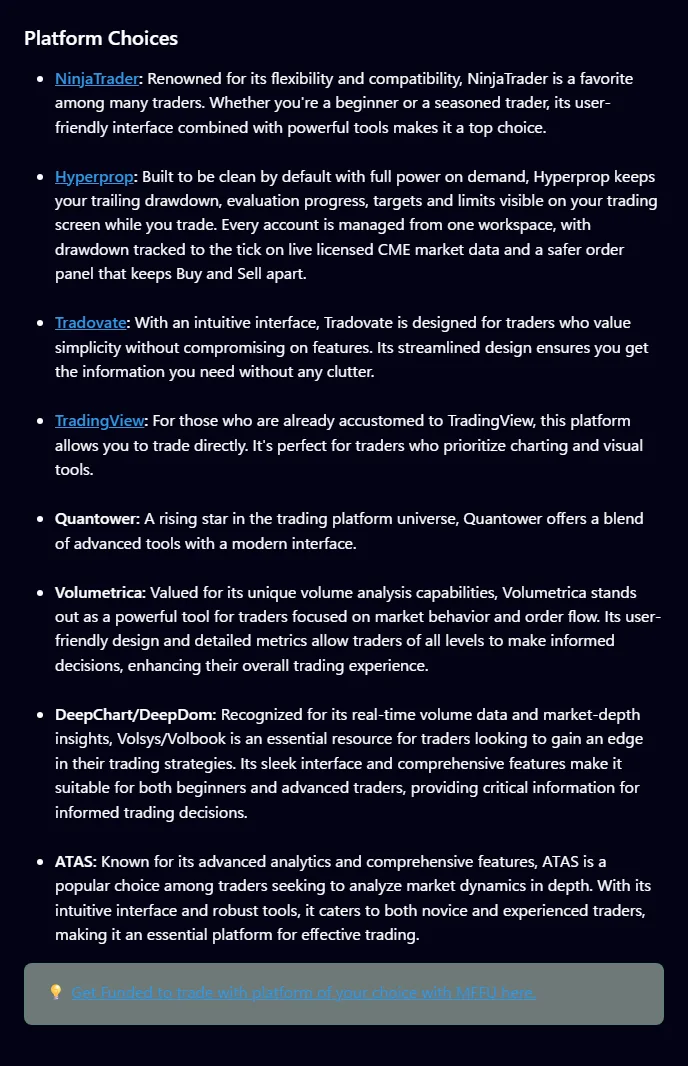
- The official My Funded Futures help center lists 8 supported platforms: NinjaTrader, Hyperprop, Tradovate, TradingView, Quantower, Volumetrica, DeepChart/DeepDom and ATAS. The Studio plan works only on Hyperprop (checked 2026-11-04).
- Rithmic is not in the official supported list checked on 2026-11-04 and is under review. NinjaTrader license key handling and Sim-stage data fees are also under review.
- Copy trading is allowed on all account types, and automated trading is allowed if it is set up for your own strategy. Round-turn commissions per contract are $4.68 for ES, NQ and RTY and $1.90 for MES, MNQ and M2K.
Which platforms can you use with MFFU? 8 supported options
My Funded Futures does not have its own trading screen and uses external trading platforms. The official help article on supported platforms (updated 2026-10-08) lists the following 8. Only the Studio plan is limited to Hyperprop.
| Platform | Builder, Rapid, Rapid EOD, Pro | Studio | Notes |
|---|---|---|---|
| NinjaTrader | Supported | Not available | License key handling under review |
| Tradovate | Supported | Not available | Sign the market data agreement at first login |
| TradingView | Supported | Not available | Connection route under review |
| Hyperprop | Supported | Supported (the only option on Studio) | Listed as a related brand on the official My Funded Futures site |
| Quantower | Supported | Not available | - |
| Volumetrica | Supported | Not available | - |
| DeepChart/DeepDom | Supported | Not available | - |
| ATAS | Supported | Not available | - |
| Rithmic | Under review (not in the list) | Not available | - |
The official help center does not compare features or prices across platforms. This article focuses on what the official sources do cover: connection notes, conditions for copy trading and automated trading, and commissions.
Sources for this section (3)
Source: Official help: Article / Official help: Article 2 / My Funded Futures official site
Using Tradovate and TradingView at My Funded Futures
If you use Tradovate at My Funded Futures, you sign the market data agreement at your first login to activate data. This is the step described in the official connection article. Make sure to complete it at your first login.
Note that activating market data affects refund conditions. The terms page counts access to market data as trading. While you are still considering a refund, check the conditions before you log in and activate data.
See My Funded Futures sign-up steps and refund conditions
How TradingView connects
TradingView is in the supported list. However, whether it connects through Tradovate or by another route could not be confirmed in this article's primary sources and is under review. Whether a paid TradingView plan is required is also under review.
Tradovate group copy feature
The copy trading article also allows Tradovate's group copy feature. It is useful when you want to send the same order to several of your own accounts. The conditions are summarized in the copy trading section below.
Source update dates: supported platforms article 2026-10-08, copy trading article 2026-08-24. The connection article has no update date.
Sources for this section (4)
Source: Official help: Article / Official help: Article 2 / Official help: Copy trading / Official site
Using NinjaTrader at My Funded Futures
NinjaTrader is in the My Funded Futures supported list. It can be used on Builder, Rapid, Rapid EOD and Pro accounts, but not on Studio.
Connection steps and license key are under review
The exact steps to connect NinjaTrader to a My Funded Futures account, and how the license key works (whether it is free to use or must be bought separately), could not be confirmed in primary sources as of 2026-11-04. This article treats them as under review. We will add them after checking the official connection article.
If you get stuck connecting, ask through the live chat at the bottom right of the site or on Discord.
License costs after moving to Live
Once you move to a Live account, platform license costs are paid by the trader and deducted from the Live account balance. Whether NinjaTrader license costs apply in the Sim stage is under review.
If you run your own strategy on NinjaTrader, it must also follow the My Funded Futures automated trading conditions. These are summarized in the automated trading section.
Sources for this section (3)
Source: Official help: Article / Official help: Article 2 / Official help: Live funded
Can you use Rithmic at My Funded Futures?
In the official information checked on 2026-11-04, Rithmic does not appear in the My Funded Futures supported platform list. For that reason, this article treats Rithmic availability as under review.
On data providers, the official help center mentions dxFeed accounts. Details of which data connection each platform uses need to be checked in the official connection article.
Connecting through Rithmic has not been confirmed as supported by My Funded Futures. Confirm with support before you buy.
Sources for this section (4)
Source: Official help: Article / Official help: Article 2 / Official help: Article 3 / Official help: Copy trading
Hyperprop and the Studio plan at My Funded Futures
Hyperprop is a platform listed as a related brand on the official My Funded Futures site. It is supported on all plans, and the Studio plan works only on Hyperprop.
Studio is a plan My Funded Futures describes as experimental, with a static Maximum Loss Limit (MLL) that does not move. The evaluation has no consistency rule and no minimum number of trading days.
| Item | #003 | #001 | #002 |
|---|---|---|---|
| Account size | $5,000 | $10,000 | $20,000 |
| Price | $75 | $140 | $280 |
| Profit target | $500 | $1,000 | $2,000 |
| MLL (static) | $250 | $500 | $1,000 |
| Max contracts | 5 micro | 10 micro (no mini) | 20 micro |
| Daily profit cap in Sim | $2,500 | $5,000 | $10,000 |
| Minimum payout | $100 | $250 | $250 |
You can hold only 1 Studio account, either an evaluation or a Sim account. The number sold per day is capped, and when it sells out it goes back on sale after 00:00 ET. #003 was added on 2026-10-14.
The Studio profit split is 80% in Sim and 90% in Live. The conditions for moving to Live and the differences from other plans are covered in the plans article.
Compare My Funded Futures Studio with the other 4 plans
Sources for this section (3)
Source: Official help: Article / Official help: Article 2 / My Funded Futures official site
Is copy trading allowed at My Funded Futures?
Copy trading is allowed on all My Funded Futures account types. The recommended tool is Tradesyncer, and Tradovate's group copy feature and external tools can also be used. The user is responsible for setting up and running the tool.
| Item | Official condition |
|---|---|
| Eligible accounts | All account types |
| Recommended tool | Tradesyncer |
| Other options | Tradovate group copy feature, external tools |
| Responsibility | The user |
| Copying other traders | Prohibited |
| Sharing a device | Prohibited (PC or smartphone) |
| Coordinated trading with others | Prohibited (running the same or opposite strategies in unrelated accounts) |
What to watch even between your own accounts
Holding long and short positions on the same underlying (for example NQ and MNQ) at the same time is fully prohibited. Whether this ban also applies across several of your own accounts is under review within what the official sources say. Setting up copying so that all accounts trade in the same direction avoids the question. Unrelated assets are allowed, but trading that relies on them is said to count against you in reviews.
Orders that exceed the max contracts by combining different products (for example 2 mini and 20 micro) are a violation even if filled, and can breach the account. Check that the total contracts on each copy account stay within the limit.
Copy trading with other traders or sharing devices can lead to a permanent ban.
See My Funded Futures prohibited practices and hedging rules
Sources for this section (5)
Source: Official help: Copy trading / Official help: Prohibited conduct / Official help: Hedging / Official help: Article / Official help: Article 2
Is automated trading (bots) allowed at My Funded Futures?
At My Funded Futures, automated trading set up for your own strategy is allowed. What is not allowed is automation that aims to exploit favorable fills that only happen in simulation. In Live accounts, you must follow CME guidelines.
- Automated trading set up for your own strategy is allowed
- Automated trading that aims to exploit favorable simulated fills is not allowed
- HFT (high-frequency trading) is prohibited
- Placing several limit orders at the same price at the same time is prohibited
- Tight bracket orders aimed at zero slippage are prohibited
- Exploiting unnatural fills in illiquid contract months or hours is prohibited
- Live accounts must follow CME guidelines
The official sources say violations can lead to immediate termination, forfeiture of profit and a review of evaluations you already passed, with no refund. Before running a bot, check that it does nothing that counts as a prohibited practice.
Micro scalping is stated as allowed in Live accounts. We could not find an official statement on whether it is allowed in the Sim stage, so it is under review.
Source update dates: fair play and prohibited practices article 2026-10-30, Live FAQ 2025-11-10.
Sources for this section (2)
Source: Official help: Prohibited conduct / Official help: Article
What are the My Funded Futures commissions and data fees?
My Funded Futures charges commissions per contract per round turn (open and close). The commissions for the main instruments listed in the official instrument list article are as follows.
| Instrument | Round-turn commission per contract |
|---|---|
| ES, NQ, RTY (E-mini equity index) | $4.68 |
| MES, MNQ, M2K (Micro E-mini equity index) | $1.90 |
| MBT (Micro Bitcoin) | $3.50 |
| MET | $1.16 |
| 6E and others (currency futures) | $5.12 |
| 6A | $5.04 |
| NKD | $6.22 |
For other instruments, check the official instrument list article. Micro Bitcoin (MBT) counts as a mini for contract limits. Whether commissions differ by platform could not be confirmed in primary sources and is under review.
Commission example
If you trade 10 round turns of MES a day, commissions are $19.00. Over 20 days that comes to $380. The same number on ES is $46.80 a day. The more you trade, the more commissions affect your results.
Data fees and Live costs
We could not find an official statement on Sim-stage market data fees, so they are under review. Once you move to a Live account, CME professional data subscriptions, round-turn commissions and platform license costs are paid by the trader and deducted from the Live account balance.
Sources for this section (2)
My Funded Futures platform change history and items under review
The main dates of changes related to My Funded Futures platforms and trading are below. The official articles do not give a year for the temporary instrument restrictions.
| Date | Change |
|---|---|
| February 7 (year not stated) | Trading in SI, HG, PL, NG and QG temporarily restricted |
| April 17 (year not stated) | Contract caps on metal micros introduced (25K 3 contracts, 50K 5, 100K 10, 150K 15) |
| 2026-08-25 | New purchases moved to one-time payment. 7-calendar-day inactivity rule introduced |
| 2026-10-08 | Supported platforms article updated |
| 2026-10-14 | #003 ($5,000) added to the Hyperprop-only Studio |
| 2026-10-30 | Fair play and prohibited practices article and Studio article updated |
One-time accounts may be closed after 7 calendar days in a row with no trades. If setting up your platform takes time and you will go several days without trading, contact support in advance.
Items under review
- Whether Rithmic is supported
- NinjaTrader connection steps and license key handling
- How TradingView connects, and whether a paid plan is required
- Sim-stage market data fees and license costs
- Whether commissions differ by platform
- Whether micro scalping is allowed in the Sim stage
The content of this article was checked on the official My Funded Futures site and help center on 2026-11-04. Before choosing a platform, check the latest official information.
Sources for this section (5)
Source: Official help: Article / Official help: Article 2 / Official help: Article 3 / Official help: Article 4 / Official help: Prohibited conduct
My Funded Futures FAQ
Which platforms can you use at My Funded Futures?
Can you use Rithmic at My Funded Futures?
Rithmic is not in the official supported list checked on 2026-11-04, so it is under review. If you plan to trade through Rithmic, confirm with official support before you buy.
What do you do first on Tradovate at My Funded Futures?
Is the NinjaTrader license free at My Funded Futures?
Is copy trading allowed at My Funded Futures?
Can you use automated trading at My Funded Futures?
Automated trading set up for your own strategy is allowed. Automation that aims to exploit favorable simulated fills and HFT are prohibited, and Live accounts must follow CME guidelines.
How much are My Funded Futures commissions?
Per contract per round turn, $4.68 for ES, NQ and RTY, $1.90 for MES, MNQ and M2K, $3.50 for MBT, and $5.12 for 6E and similar. Check the official instrument list article for other instruments.